
Use recitation controls, word cards, named translations, source notes, sharing and printing.
Listen to an ayah
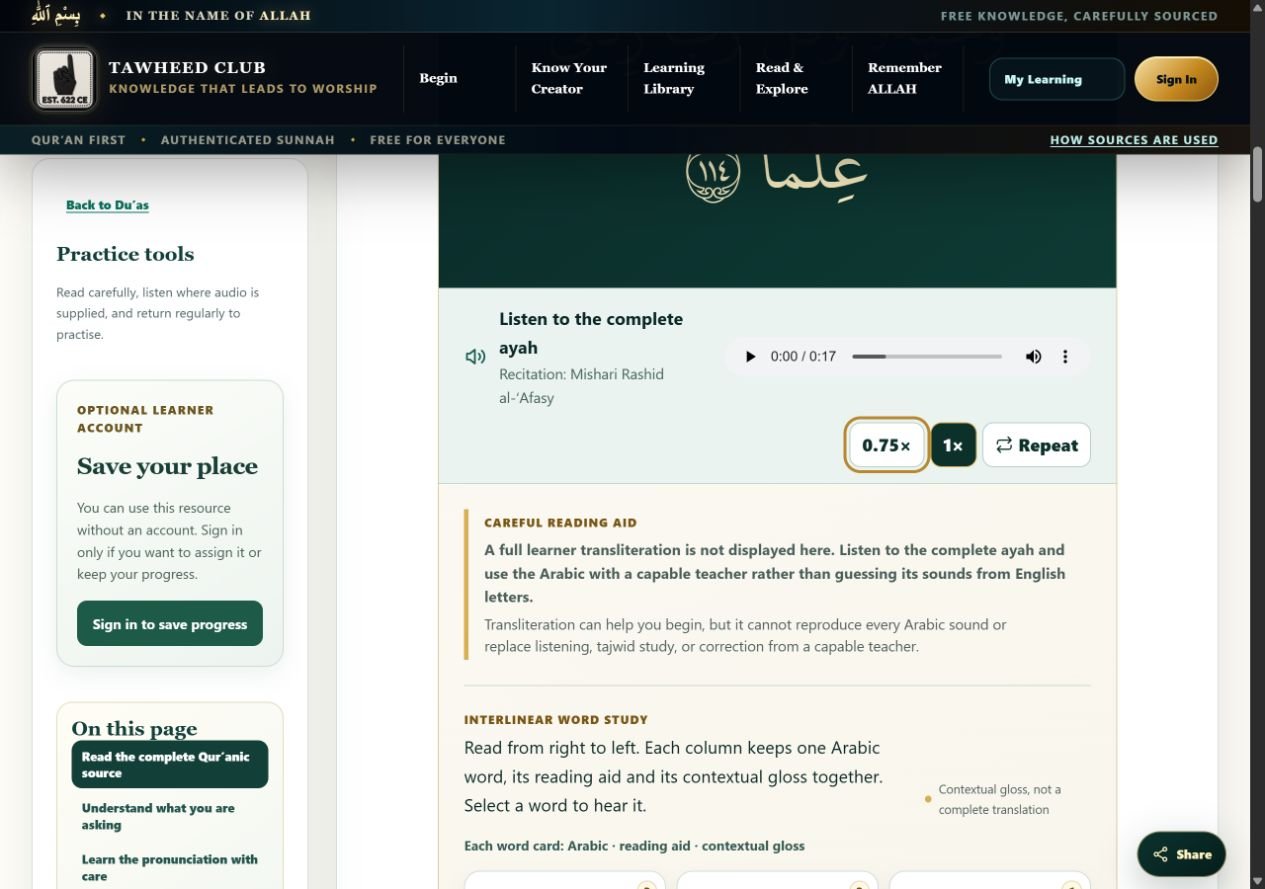
- Find Listen to the complete ayah and select the player’s play control. Audio starts after your action.
- Where offered, use 0.75× for slower playback or 1× for normal speed.
- Use Repeat to toggle repetition; turn it off or pause when finished.
- Select a word’s speaker control, labelled Hear word, to listen to that word where a recording is supplied.
Not every source panel or hadith has audio. Use the controls that are present; a missing recording is not a reason to guess pronunciation.
Read word cards and translations
Arabic word cards are arranged to be read from right to left. Keep the Arabic word, any reading aid and its contextual gloss together. Read the complete named translation as well: an individual gloss is not a complete translation.
English transliteration cannot reproduce every Arabic sound. Listen to the connected recitation and seek correction from a capable teacher. When a panel says a full transliteration is not displayed, use the audio and Arabic rather than assuming a tool has failed.
Open source information
Expand Sources used for this ayah panel or the source disclosure supplied with the study. Named translations, translator notes and editorial explanations have different roles. Use the source link to inspect the identified verse or report, and read any grading or wording limitations.
How sources are used explains the site’s approach. A translated meaning or a teaching explanation should not be presented as the Arabic Qur’an itself.
Print only what you need
Where a panel offers Print this ayah, select it and inspect the browser’s print preview before printing. Some practical resources have their own print controls. For a whole page without a dedicated control, use your browser’s print command and check the preview.
Follow the respect and waste guidance beside Qur’anic text. Printing is optional; choose only the pages you will use and keep them clean and respectfully handled.
Tawheed Club editorial team · Guide checked 11 October 2026. Screenshots show examples; your resource, account options and browser controls may differ.