
Find a suitable starting point, search the learning library and use the mobile navigation.
Choose where to begin
- Open Start Here if you would like a guided introduction.
- Use Learning Library for courses, lessons, quizzes, resources and du’as. You can read public learning without signing in.
- Choose a subject or learner pathway, such as Parents and Educators, or browse the full library.
- Use Know Your Creator for the Names studies, Read & Explore for articles and Remember ALLAH for du’a studies.
Search and narrow the library
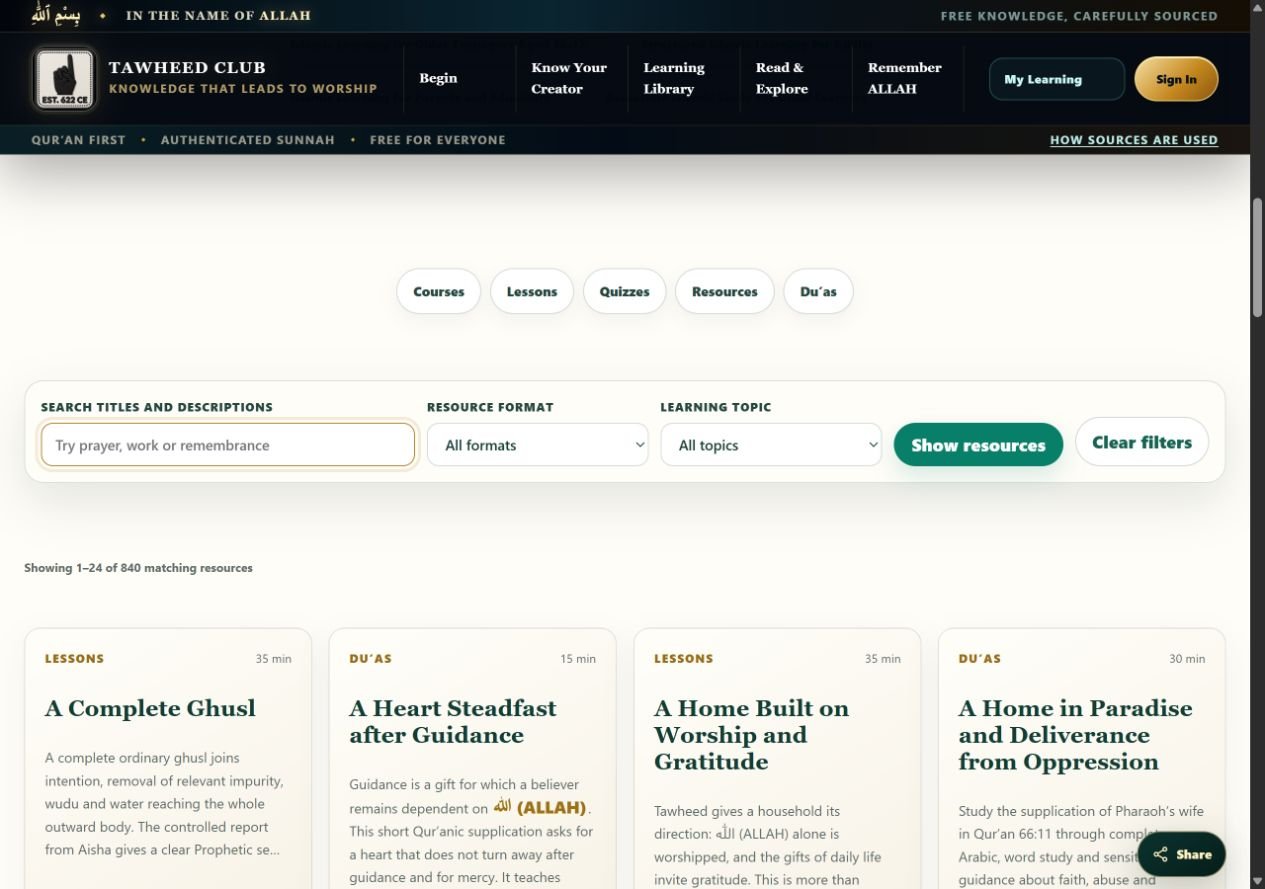
- Enter a few words in Search titles and descriptions. Try a simple subject rather than a long question.
- Optionally choose Resource format and Learning topic, then select Show resources.
- Open a resource title or its open link. Use Next or the page numbers for more results.
- If the results are too narrow, select Clear filters. For a broader site search, open Search the library.
The Names directory has its own search and filters. Use Reset search and filters there to start again.
Use the site on a phone
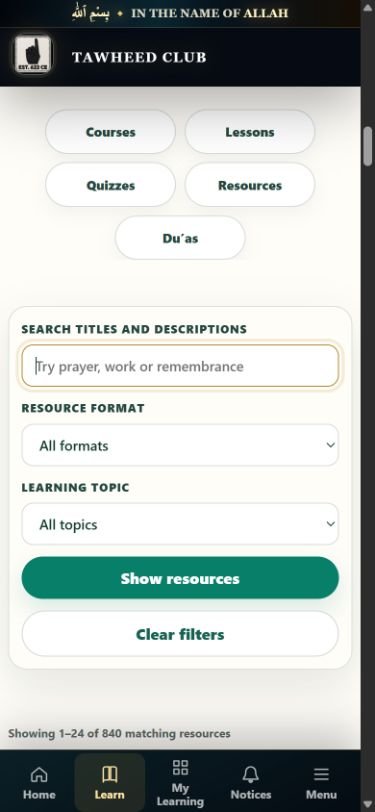
The bottom navigation gives you Home, Learn, My Learning, Notices and Menu. Open Menu for more destinations, including Help & Guides. Close it using the close button; with a keyboard, Escape also closes it.
Within a resource, use On this page or In this resource to jump to a section. On a small screen, learning tools may appear above the article rather than beside it.
Read comfortably
Use your browser’s zoom or device text-size settings if you need larger text. A keyboard can move through links and buttons with Tab and Shift+Tab; Enter activates links. Expand labelled sections to reveal their contents. Screenshots in these guides have accompanying text instructions and can be opened at full size.
Tawheed Club editorial team · Guide checked 11 October 2026. Screenshots show examples; your resource, account options and browser controls may differ.